Updated August 14th, 2026

A dedicated webcam earns its keep the moment you're on a video call and realize how much clearer, brighter, and more natural you look compared to a laptop's built-in camera, which is usually a low-resolution afterthought squeezed into a thin bezel. Compared to that built-in camera, a standalone webcam gets you a larger sensor, better low-light performance, and often features like auto-framing or a wider field of view that make a real difference in daily meetings.
For this guide, we looked at four webcams built for different needs and budgets, and made sure no two solve the same problem for the same buyer. The Logitech Brio 101 is the best value pick for anyone who wants a clear upgrade over a built-in camera without paying much. The Logitech C920x HD Pro is the best overall pick for buyers who want a proven, reliable 1080p webcam that's been a go-to recommendation for years. The OBSBOT Meet 2-4K is the pick for anyone who wants AI-powered framing and autofocus that follows you around the room. And the Logitech MX Brio is the premium pick for professionals who want the sharpest 4K image and the most polished collaboration features available.
As an Amazon Associate I earn from qualifying purchases. Links on this page are affiliate links.
We compared webcams based on video quality, features, connectivity, and price, and made a point of not picking four webcams aimed at the same buyer. On raw intelligence and hands-free convenience, the OBSBOT Meet 2-4K wins outright, since it's the only pick here with AI-powered subject tracking and gesture control that automatically keeps you framed and centered as you move, at a price that sits between the proven mid-tier pick and the premium 4K option. The Logitech MX Brio trades that AI tracking for the sharpest possible image, using a larger sensor and 4K resolution to deliver the clearest picture in this lineup, aimed at professionals who prioritize image quality above all else. The Logitech C920x HD Pro delivers a stripped-down version of reliable video calling, with sharp 1080p video and clear audio, at less than half the price of the AI and 4K picks, but sacrifices the extra resolution and smart framing to get there. The Logitech Brio 101 is the outlier of the group: it's built for basic reliability rather than any standout feature, with auto-light correction and a privacy shutter covering the fundamentals at the lowest price in this lineup.
Quick Notes
The Logitech Brio 101 is our Best Value pick because it delivers a genuine upgrade over a laptop's built-in camera, with real auto-light correction and a physical privacy shutter, at the lowest price in this lineup. The buyer here is someone who mostly works from a laptop and just wants to look and sound clearer on the occasional video call, without paying for 4K resolution or AI features they won't use. One concrete detail that matters is the auto-light correction, which automatically adjusts exposure to keep your face visible even in a dim room or with a bright window behind you, a common problem built-in laptop cameras handle poorly. A second detail is the physical privacy shutter, a simple sliding cover over the lens that provides a visible, tactile guarantee the camera isn't recording, useful for anyone who leaves their laptop set up in a shared space. The tradeoff is that this is a basic 1080p webcam with no AI framing, autofocus tracking, or 4K resolution, so it won't keep you centered if you move around, and its built-in microphone is functional but not as clear as the higher-tier picks here. Skip this one if you want AI framing or the sharpest possible image. Buy it if you want a clear, affordable upgrade over your laptop's built-in camera.
Prices and availability were recorded when this article was written and are subject to change. The price and availability shown on Amazon at the time of purchase apply.
Quick Notes

The Logitech C920x HD Pro is our Best Overall pick because it's the proven, reliable choice that's remained a go-to webcam recommendation for years, delivering sharp 1080p video and clear audio without any surprises. The buyer here is the most common webcam shopper: someone who wants dependable video call quality for work, school, or catching up with family, without needing AI tracking or 4K resolution. One concrete detail that matters is the 1080p resolution at a full 30 frames per second, which delivers smooth, sharp video that looks noticeably better than a typical laptop camera without requiring the extra bandwidth 4K video demands on a video call. A second detail is its broad compatibility, working reliably across Microsoft Teams, Google Meet, Zoom, and even newer platforms, a track record built from years as one of the most widely used webcams for both personal and professional use. The tradeoff is that it lacks the AI-powered framing of the OBSBOT pick and the 4K resolution of the premium pick, so it won't automatically follow you around the room or deliver the sharpest possible image for professional content creation. Skip this one if you want AI framing or 4K resolution. Buy it if you want a proven, reliable webcam for everyday video calls.
Quick Notes
The OBSBOT Meet 2-4K is our AI-Powered pick because it's the only webcam in this lineup that actively tracks and frames you as you move, using AI subject detection rather than staying locked on a fixed position. The buyer here is someone who moves around during calls, presents from a whiteboard, or just wants a more hands-free, polished presence on camera without manually adjusting framing. One concrete detail that matters is the AI framing and autofocus, which detects your face and body and automatically adjusts the crop and focus as you move around the room, a genuinely useful feature for anyone who isn't sitting perfectly still through an entire call. A second detail is the gesture control, letting you trigger actions like starting or stopping tracking with a simple hand gesture rather than reaching for a mouse or keyboard mid-presentation, along with a 1/2-inch sensor that's larger than typical webcam sensors for better low-light performance. The tradeoff is that it costs more than double the overall pick, and its AI tracking, while impressive, is a feature some buyers simply won't use if they're always sitting in a fixed position at a desk. Skip this one if you always sit in the same spot and don't need tracking. Buy it if you want AI-powered framing that keeps you centered as you move.
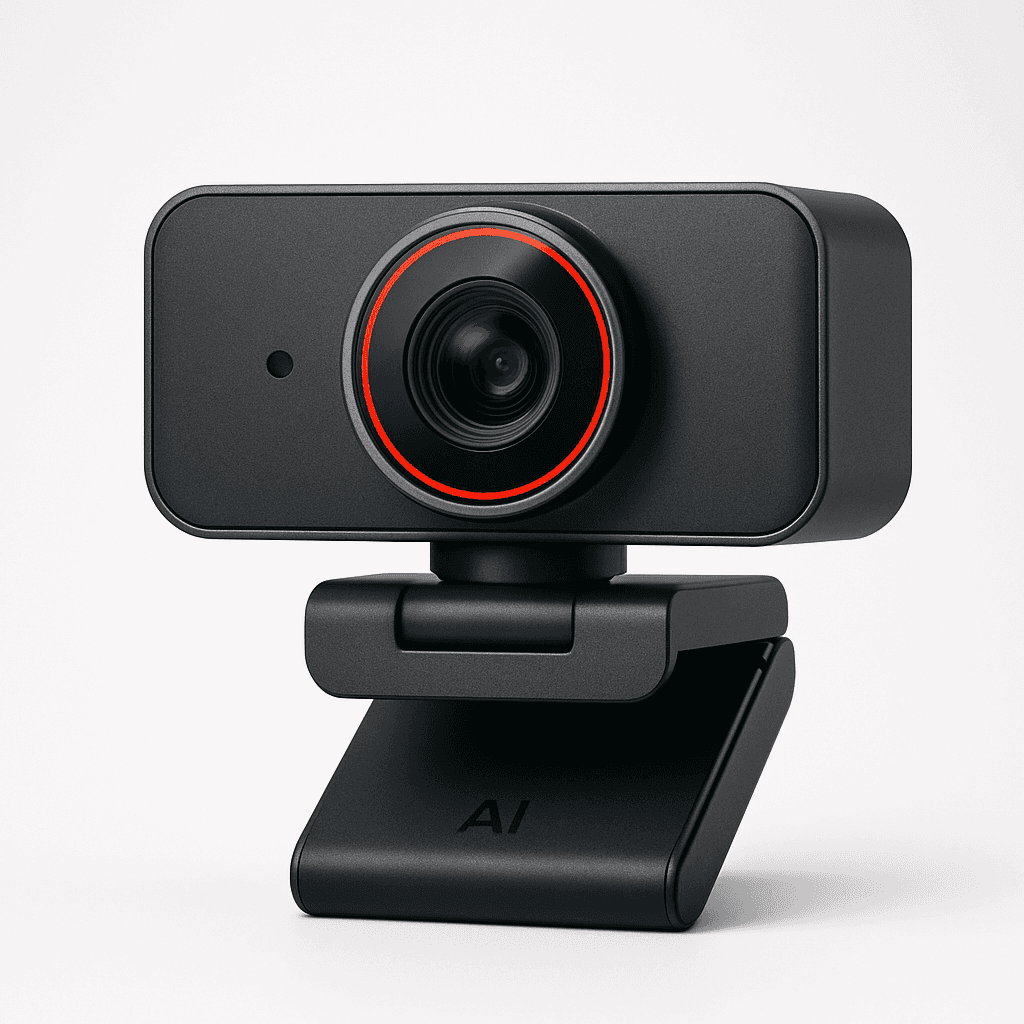
Quick Notes

The Logitech MX Brio is our Premium pick because it delivers the sharpest image quality in this lineup, using a larger sensor and true 4K resolution to capture noticeably more detail and better low-light performance than any other pick here. The buyer here is a professional, executive, or content creator who wants the clearest possible picture for high-stakes meetings, recorded video, or streaming, and is willing to pay for that extra sharpness. One concrete detail that matters is the 4K Ultra HD resolution, which delivers meaningfully more detail and clarity than the 1080p picks here, especially valuable when your video is being viewed on a large screen or recorded for later use rather than just live-streamed at a lower resolution. A second detail is Show Mode, which lets you flip the camera to showcase a physical object or document on your desk instead of your face, a genuinely useful feature for presentations, product demos, or tutorials that the other picks in this lineup don't offer. The tradeoff is price: at roughly $170, it's the most expensive pick in this lineup, more than five times the cost of the value pick, and its 4K video requires more bandwidth and processing power than 1080p, which can matter on an older computer or a constrained internet connection. Skip this one if 1080p video is sharp enough for your needs and budget matters. Buy it if you want the sharpest possible image and don't mind paying a premium for it.
Prices and availability were recorded when this article was written and are subject to change. The price and availability shown on Amazon at the time of purchase apply.
Logitech Brio 101 Full HD 1080p Webcam for Streaming and Meetings - Black
Logitech C920x HD Pro PC Webcam Full 1080p/30fps Video - Black
OBSBOT Meet 2-4K Webcam for PC with 1/2" Sensor, AI Framing & Autofocus
Logitech MX Brio Ultra HD 4K Webcam Collaboration and Streaming - Graphite
Best Use
Basic Upgrade Over a Built-In Camera
Reliable, Everyday Video Calls
Hands-Free Framing While Moving Around
Maximum Image Quality for Professionals
Resolution
1080p Full HD
1080p Full HD, 30fps
4K, AI Framing and Autofocus
4K Ultra HD, Large Sensor
Standout Feature
Auto-Light Correction, Privacy Shutter
Clear Audio, Broad App Compatibility
AI Subject Tracking and Gesture Control
Show Mode, Premium 4K Sensor
Connectivity
USB-A
USB-A
USB-A/C
USB-C
Why We'd Buy It
Best Value for a Basic Upgrade
Best Overall for Reliable, Everyday Calls
Best for Hands-Free AI Framing
Best for Maximum 4K Image Quality
If you want a clear upgrade over your laptop's built-in camera without spending much, look for auto-light correction and a privacy shutter rather than paying up for 4K resolution you may not need for basic calls. The Logitech Brio 101 covers that need well, with those fundamentals built into an affordable 1080p webcam.
If you want a proven, no-surprises webcam that's been a reliable recommendation for years, look for sharp 1080p video and clear audio rather than chasing the newest features. The Logitech C920x HD Pro is built for exactly that, with a track record of consistent performance across Teams, Zoom, and Google Meet.
If you move around during calls or want a more hands-free, polished presence on camera, prioritize AI-powered framing and tracking over raw resolution alone. The OBSBOT Meet 2-4K is the only pick here that automatically follows and frames you as you move, which is the single biggest reason to step up from a static webcam.
If you're a professional who wants the sharpest possible image for high-stakes meetings or content creation, prioritize sensor size and resolution over extra AI features. The Logitech MX Brio delivers the clearest 4K picture in this lineup, at the cost of being the most expensive pick here.
Buy the Logitech Brio 101 if you want a clear, affordable upgrade over your laptop's built-in camera for occasional calls.
Buy the Logitech C920x HD Pro if you want a proven, reliable webcam for everyday video calls without any surprises.
Buy the OBSBOT Meet 2-4K if you move around during calls or presentations and want AI framing that keeps you centered.
Buy the Logitech MX Brio if you're a professional who wants the sharpest possible 4K image and don't mind paying a premium.
The best webcam depends on how much you're willing to spend and whether you're optimizing for value, reliability, hands-free framing, or maximum image quality. Choose the Logitech Brio 101 if you want a clear upgrade over a built-in camera without spending much. Choose the Logitech C920x HD Pro if you want a proven, reliable webcam with a long track record. Choose the OBSBOT Meet 2-4K if you want AI-powered framing that follows you around the room. Choose the Logitech MX Brio if you're a professional who wants the sharpest possible 4K image.
If you're still unsure, most people should start with the Logitech C920x HD Pro. It covers the way most people actually use a webcam: regular video calls where sharp, reliable 1080p video matters more than 4K resolution or AI tracking, and its long track record of consistent performance makes it the safest, most broadly useful pick here.
Related articles
Explore more expert comparisons and buying guides to help you find the perfect product.


As an Amazon Associate I earn from qualifying purchases.